CrushOn AI Character Creator: Concept to Published Profile
Having the concept of a new character is a really motivating first step to enter into the AI Roleplay niche, but it can also feel overwhelming when you don’t know the next step to take. Luckily, the CrushOn AI character creator solves that by splitting the creation page into specific, isolated fields. With creation fields divided, it is like having a map for creation; you don’t have to make complex code, and creativity can flow with more freedom.
Setting Up Profile Basics and HTML Styling
When you load up the creation screen, the first things you run into are Name and Age. Put your character’s actual name here, or try a popular creator trick: type a catchy scenario hook into the Name box to grab extra eyes on the public browse page. If you go with a scenario title, just drop the character’s real name at the very top of their Persona field later. That little tweak gets your card noticed in directory searches while making sure the model still knows exactly who it is playing once the chat begins.
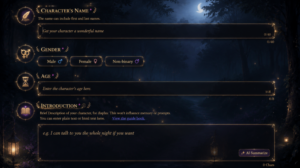
Right under those fields, you’ll find the Introduction box, which serves as your card’s front-page preview text. Nothing you type here actually touches the bot’s conversational memory, so feel free to write for human readers rather than the language model. Since this field supports basic HTML, taking two minutes to add custom text colors, bold headings, or simple styled dividers can make your profile look clean and inviting before anyone even clicks into the chat window.
| Field Name | Main Purpose | Affects Memory? | Quick Creator Tip |
| Name | Display title or character handle | Indirectly | Use a catchy title or actual name |
| Age | Character’s age setting | Yes | Keeps age consistent across scenes |
| Introduction | Public card preview bio | No | Add raw HTML for colors and styling |
| Persona | Core personality and history | Yes (High) | Write clear, plain English descriptions |
Definition of ‘Persona’ Section, The Backbone of The AI Companion
Just as mentioned before, the implemented AI Companion Creator in CrushOn allows you to make the creation workflow lighter for experienced and new chatbot creators. In the Persona section, you don’t have to include weird code to define your character in depth. Regular English can work properly, or you can even try to describe your bot in your desired language, considering that right now, the platform has support for a lot of diverse languages too.
This is a section where you describe the general behavior of your character, occupation, and backstory that can add depth for a more meaningful conversation. Traits and traditions are often included here; it is important to keep each defining sentence concise, but feel free to add more detail to your creation, since this can enrich the roleplay a lot.
Setting Up Character Appearance and Style
Physical traits get their own dedicated Appearance field, which keeps visual traits completely separated from psychological ones. When creators dump hair color, eye shape, and clothing choices into the main persona box, the AI often starts confusing what a character looks like with how they behave. Keeping visual details in their own box solves that prompt bleeding entirely. Any detail that you can describe for your character doesn’t require technicalities, but rather than identification tags.
Having appearance as an independent section for character creation allows you to give more detail to this aspect. You can focus not only on height and general clothing, but actually describe the physique and outfits fully. While working in creative design, even when it feels like coding, creative freedom is the key point that makes some bots stand out from the rest.
Scenario as a Setup for Scene Context and Plot Drivers
Having a field dedicated solely to the scenario gives your story an immediate compass. It works a lot, like spotting a clear highway sign when you are driving through a confusing city. The scenario box lets you lock down the physical location while defining the specific reasons this conversation is happening right now.
Most of the time, on AI Roleplay platforms, you see a lot of tags, but they’re focused on discoverability of the character rather than enriching the context. This is where the scenario also comes to the scene and serves as a specific solution, where you can define that the involved characters are friends for a lot of years, or coworkers; a simple tag in the scenario can enrich the scene in more ways than just background descriptions.
Designing Greetings and Using Dynamic Tags
Your opening message dictates the tone, pacing, and expected reply length for the entire conversation. Writing a rich opening scene packed with environmental sounds, physical movement, and an open question gives the player something easy to respond to. A brief or lazy greeting almost always leads to dry, one-line responses from the bot down the line.
It is important to know that not only the AI model but also the greeting seems to be an important benefit, considering that they are always changed to the name of the user and the AI Character, giving good guidance at each test in case of some {{char}} or {{user}} label.
- Add sensory details like background sounds, lighting, and physical positioning
- End the greeting with an action or question that invites a reply
- Keep {{char}} and {{user}} tags clean without extra symbols inside brackets
Why You Can Skip Custom Character Templates Entirely
Searching online for custom character sheets or code layouts is a total waste of time. CrushOn’s setup page gives you a built-in guide right on the screen. The form splits your profile into distinct boxes for Name, Persona, Appearance, and First Message, forcing your notes into a sensible order as you type.
There’s no additional guidance required after noticing that appearance includes physique and outfit, or that the scenario works for the physical space, but also the whole setup for the scene that is about to happen. It is easy to get through this kind of tutorial each time, and after a few chatbots, you realize that suddenly you’re making it almost automatically, saving time and creating better bots. Working through the CrushOn AI character creator box by box leaves you with a reliable bot, no extra templates required.
Running Test Chats and Setting Privacy Options
Before hitting publish, test your character in a private chat. Don’t skip this. Throw half a dozen messages at the bot to see if it remembers what you wrote three turns ago, speaks in the right tone, and follows the world rules you set up. Rerolling a few answers right now makes it easy to catch weird phrasing or out-of-character replies before anybody else sees them.
- Verify {{char}} and {{user}} display actual names instead of raw code in the chat log
- Check if the bot’s tone matches what you wrote in the main prompt box
- Look at physical movements to see if they fit your appearance notes
- Watch whether the background setting stays consistent after four or five turns
Once the bot holds up in testing, pick your privacy level. Keep it private if you want a personal OC all to yourself. Switch it to public if you want other roleplayers to find your card. Running a quick trial run inside the CrushOn AI character creator guarantees your profile actually works the way you planned.